

Pool, timing and sessions
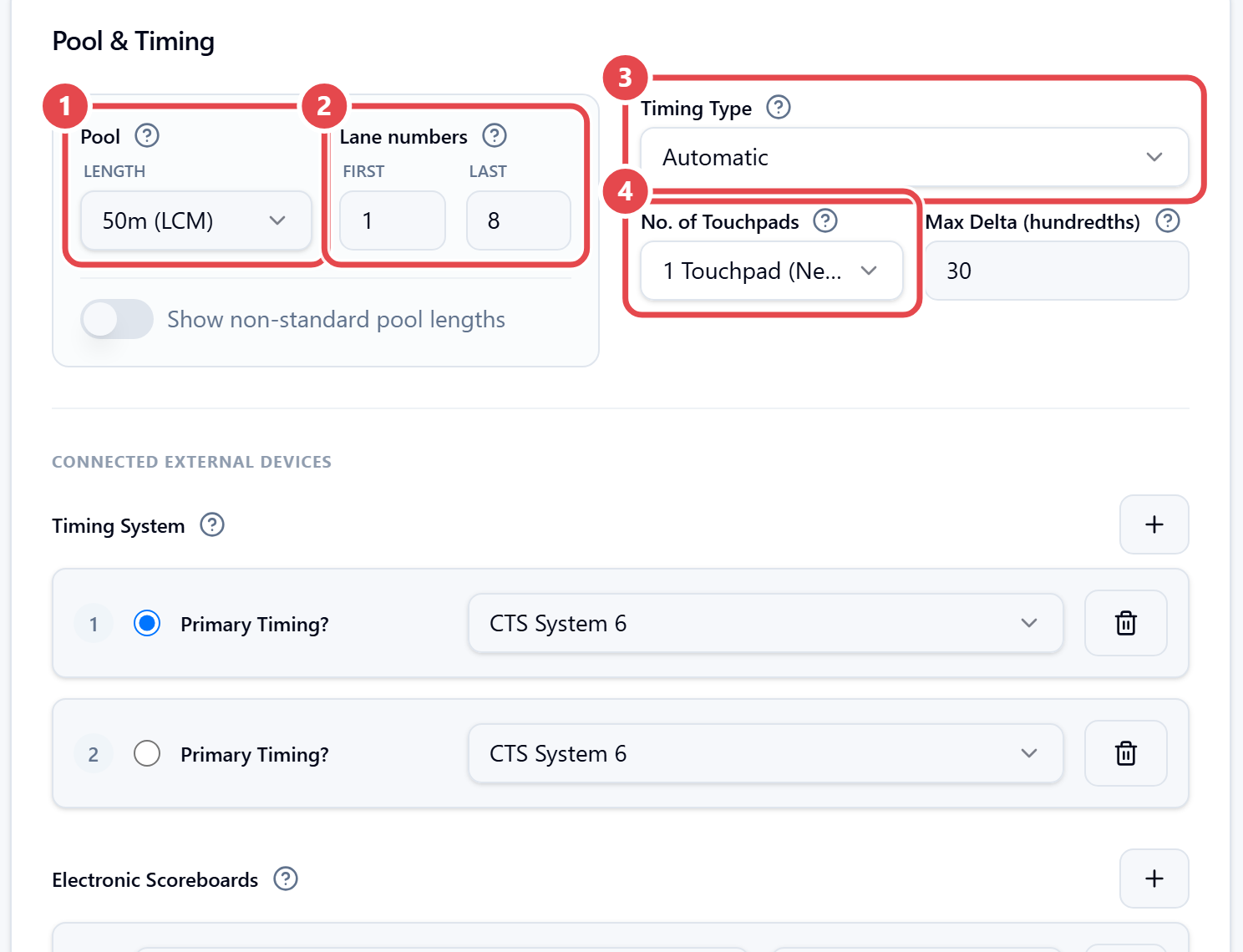
Pool & Timing. Set the Pool ① (length), the Lane numbers ② (First and Last), the Timing Type ③, the No. of Touchpads ④ and the Max Delta (hundredths). This section also has the Timing System and the Electronic Scoreboards; the devices are connected at the desk, as explained in Preparing the results desk. The No. of Reserves (Finals) is in the Settings section.
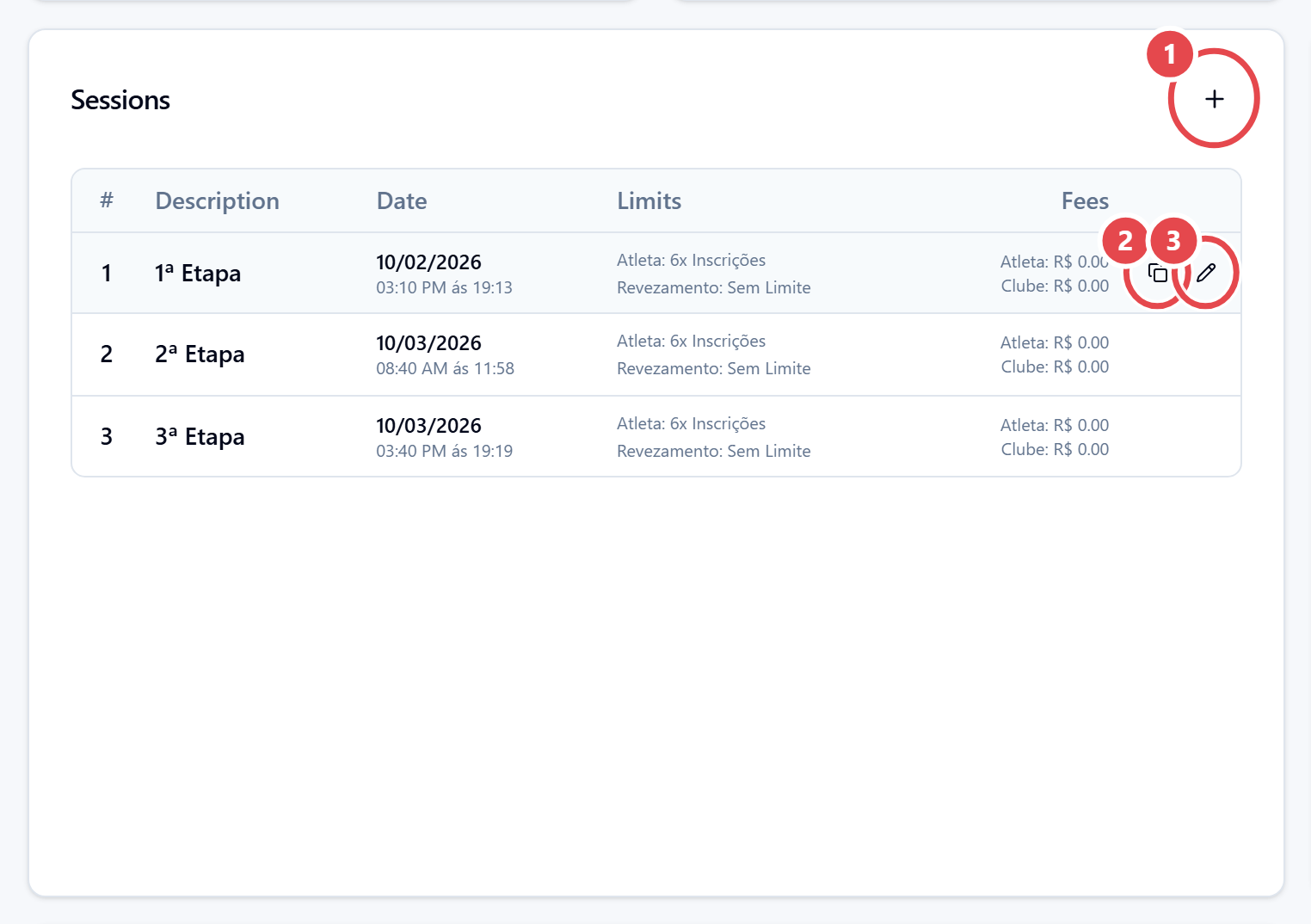
Sessions.
- Click + (Add session) ①. To copy an existing session, hover its row and use Duplicate session ②; to change one, use the pencil ③.
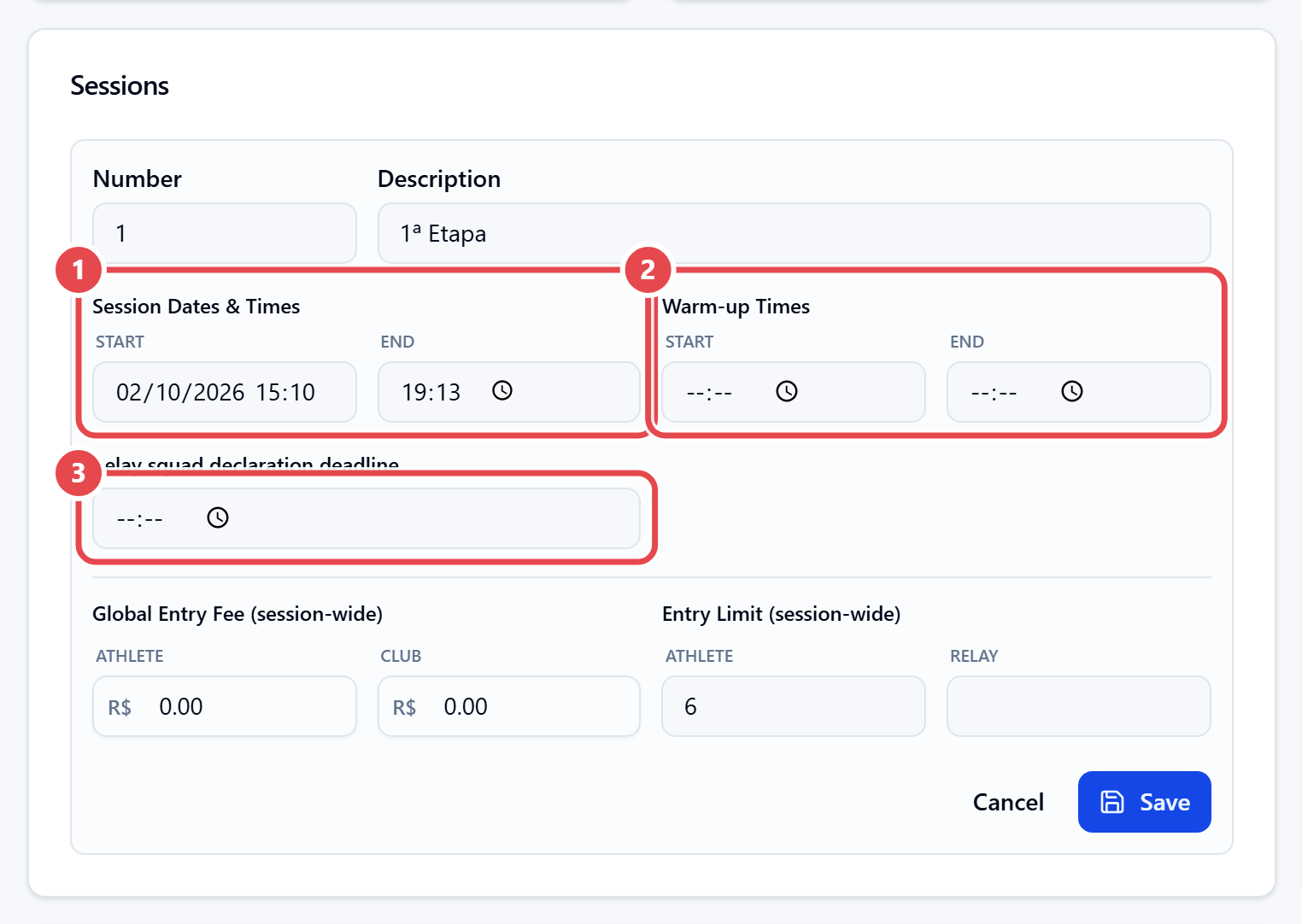
- Fill in Number, Description and Session Dates & Times (Start and End).
- Enter the Warm-up Times.
- If needed, set the Global Entry Fee (session-wide) and the Entry Limit (session-wide).
- In Relay squad declaration deadline, set how long coaches can submit relay swimmers for that session.
- Click Save on the session, then save the meet (Save Changes).
The points tables, record tables and documents sections only appear after the first save.