

Events and rounds
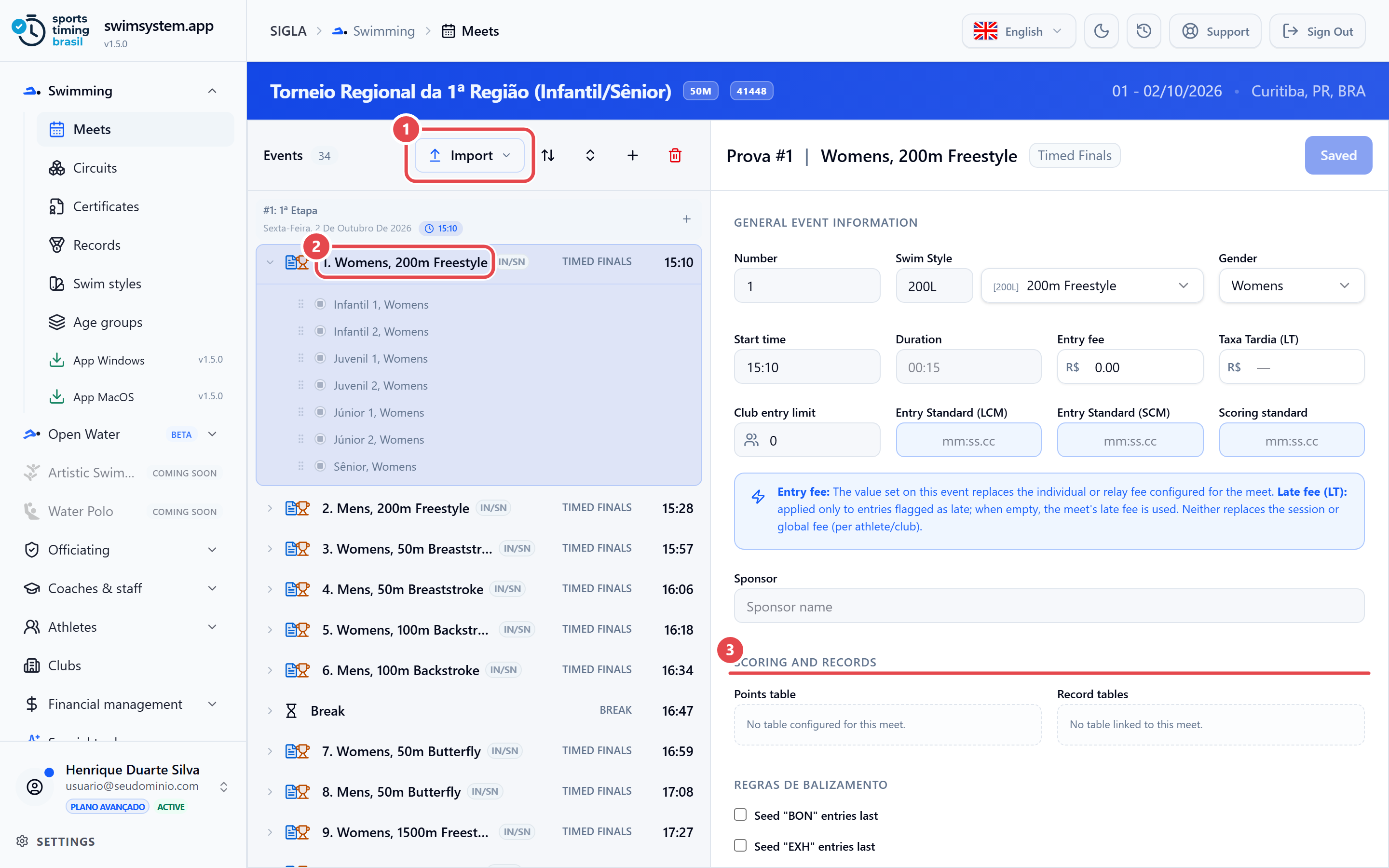
Open the Events shortcut. Each event has: Number, Previous Phase, Swim Style (distance and stroke), Gender, Start time, an entry fee (overrides the meet fee), a late fee (LT), Club entry limit, the entry standards and, under scoring and records, the points table and record tables. Each event also has its own late-addition switch.
| Round | Use |
|---|---|
TIM Timed Finals |
A single round; the ranking comes from the heats. |
PRE Prelims |
Qualifies for semi-final or final. |
QUA / SEM |
Quarter-finals and semi-final. |
FIN Final |
The deciding round. |
FHT Fastest Heat |
Slow heats in the morning, fast heat at night; one ranking for both halves. |
TIMETRIAL |
Time Trial. |
MC / BK |
Awards Ceremony and Break in the program. |
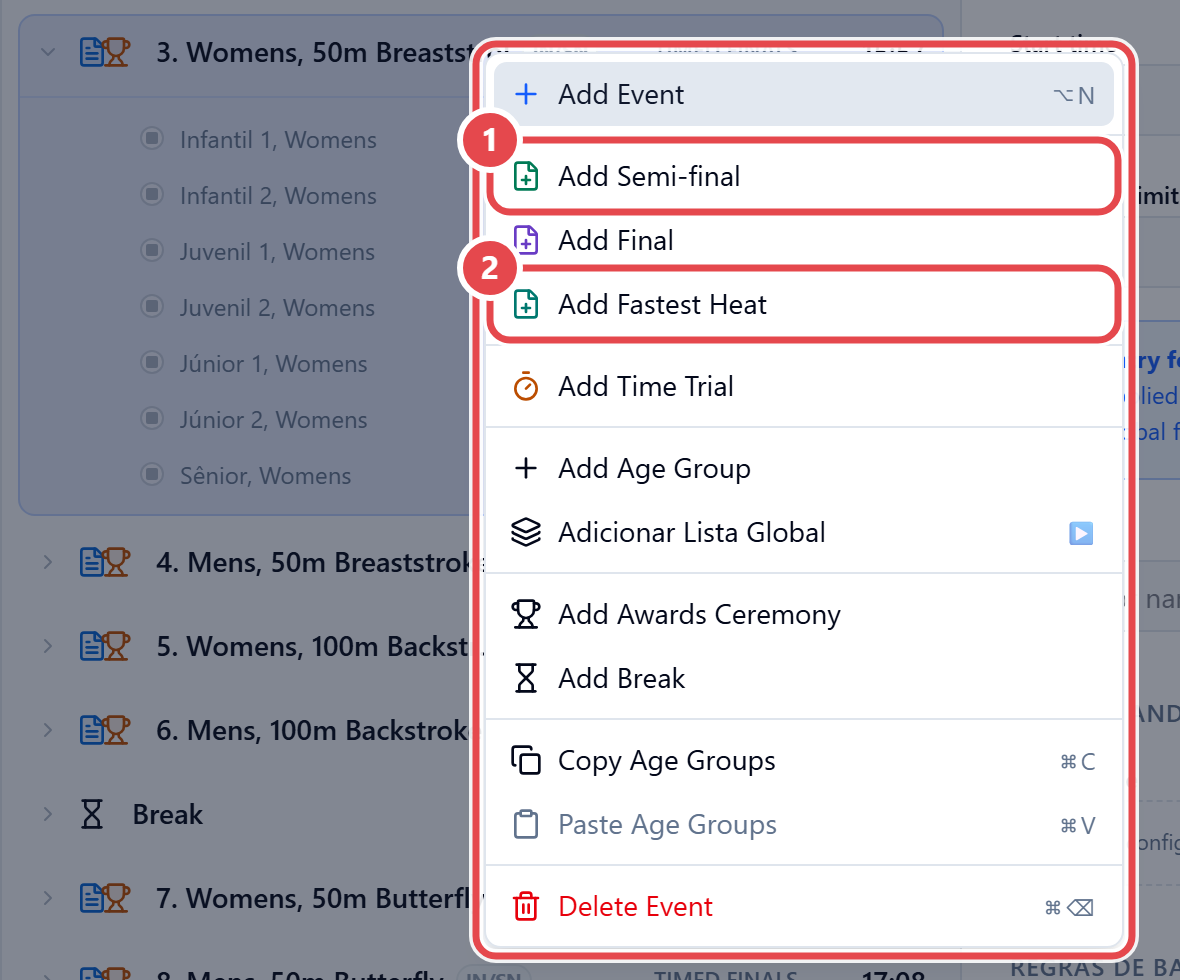
Right-click an event in the list to open its menu: Add Event, Add Semi-final ①, Add Final, Add Fastest Heat ② or Add Time Trial. The same menu has Add Awards Ceremony and Add Break, for the program.
To bring events in from a file, use Import (Lenex or Hy-Tek), check the import summary and click Replace and import. The LIMPAR TUDO (clear all) option deletes all existing events before importing.