

Age groups and entry standards
Each event gets one or more age groups. Right-click the event (or one of its age groups) to open the menu:
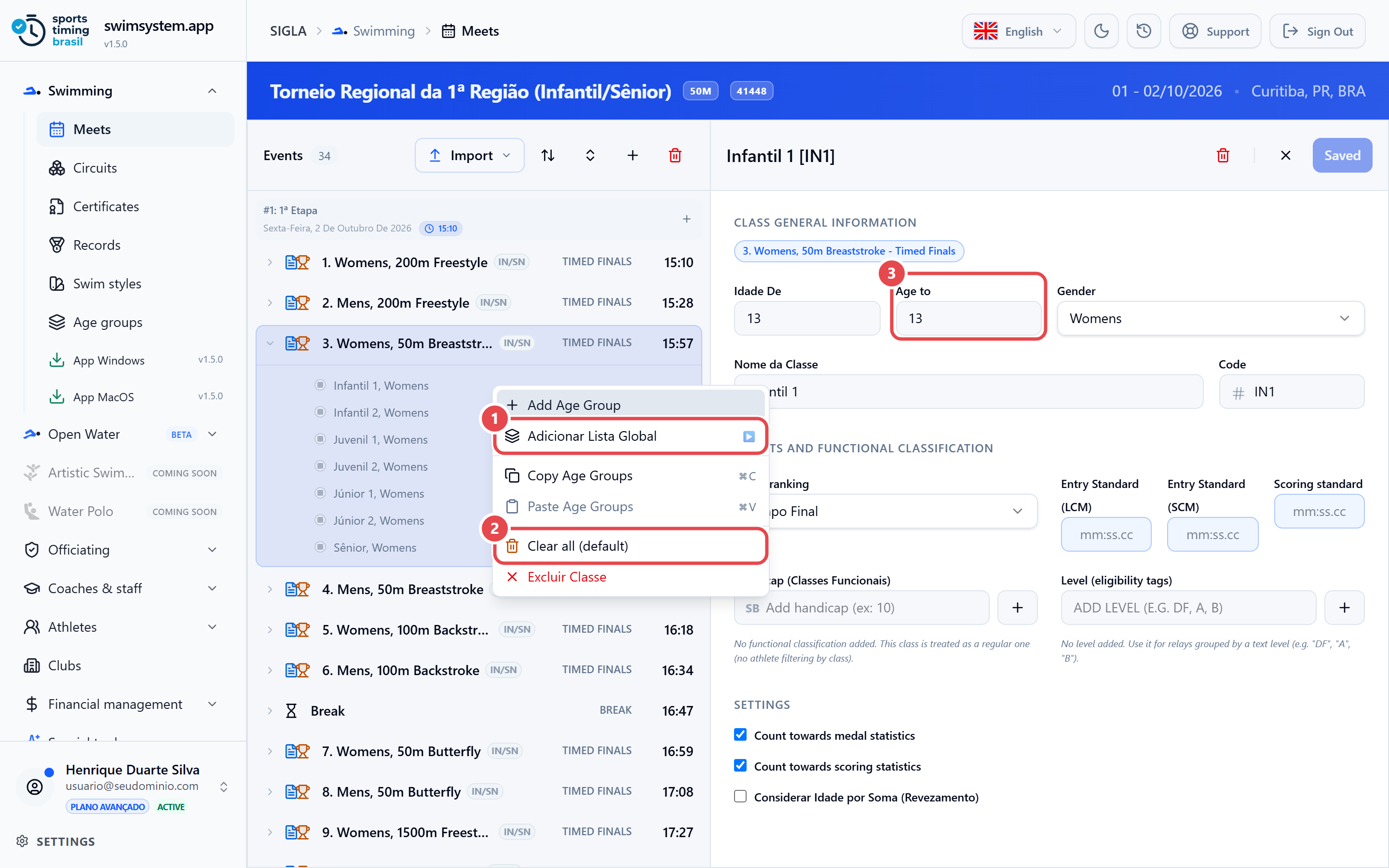
- Add Age Group — creates an age group with a lower and an upper age (Age to ③), Gender, a name, a Code, Result ranking and Level (eligibility tags). Click an age group in the list to edit it in the right-hand panel.
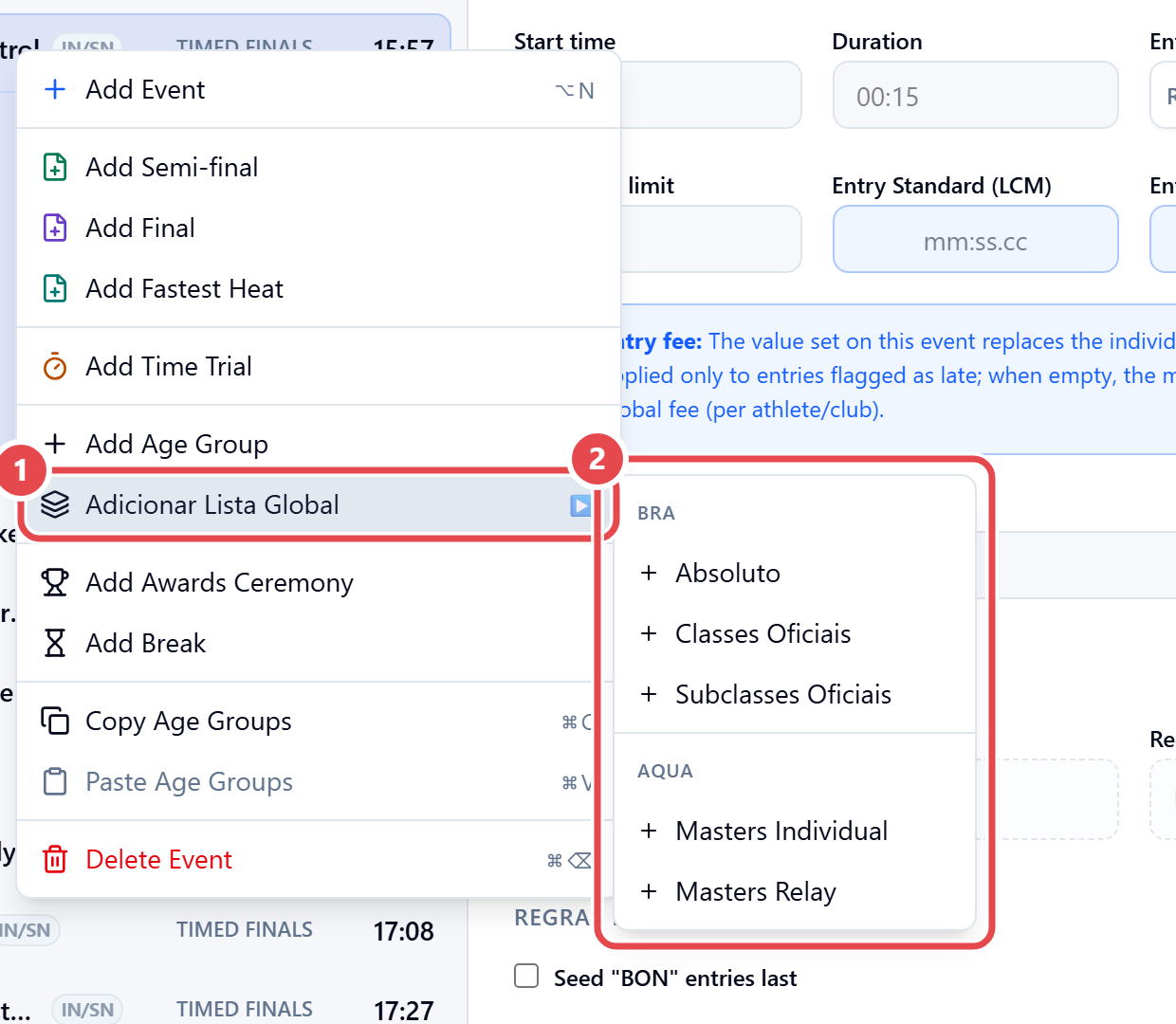
- Adicionar Lista Global (add global list) ① — brings in the age groups of a catalog list, maintained under Swimming › Age groups.
- Copy Age Groups and Paste Age Groups — repeat one event’s age groups on another.
- Clear All (Default) ② — removes the event’s age groups and restores the default. It is in an age group’s menu.
Standard per pool. Each event has Entry Standard (LCM) and Entry Standard (SCM). The entry time is checked against the standard of the pool where it was swum. The check only flags; it rejects nothing. See Entries.
Masters swimming. Turn on Masters Meet (MASTERS Points). Individual age groups are 5-year bands (25-29, 30-34 …). In relays, the age group is decided by the sum of the four swimmers’ ages (100-119, 120-159 …), and only once the full squad, with everyone’s birth date, is saved.