Skip to content

The entries screen

On the meet page, click Entries. The screen has five tabs:

  • Clubs: Participating clubs. Use Add clubs to add a club.
  • Athletes: Athletes in the meet. Use Add athletes, then Add to the meet.
  • Relays: Relay teams and their rosters.
  • Entries: Every entry, event by event.
  • Financial (Orders): Clubs’ orders and invoices (see Financial).
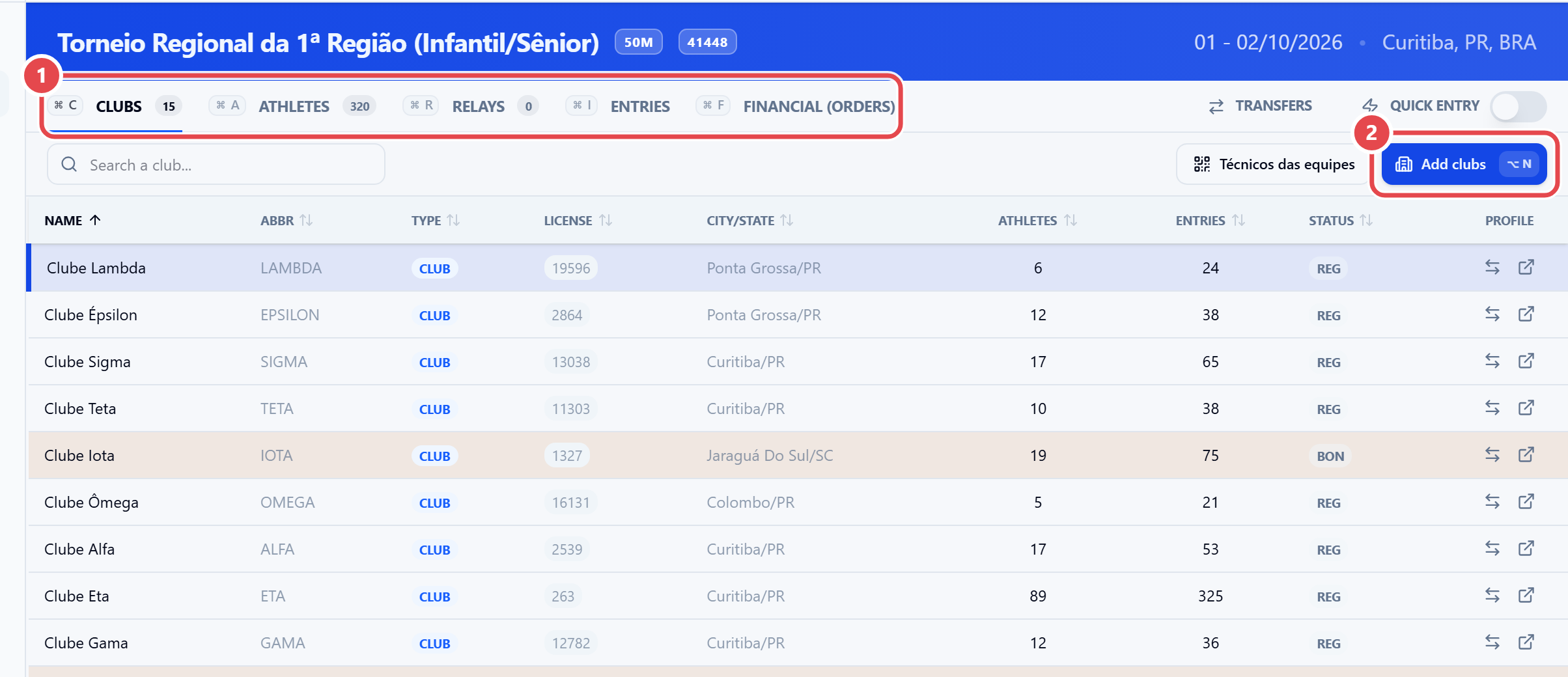
Meet entries screen on the Clubs tab, with the list of participating clubs
The five tabs ① are at the top of the screen; on the Clubs tab, Add clubs ② adds a club to the meet.
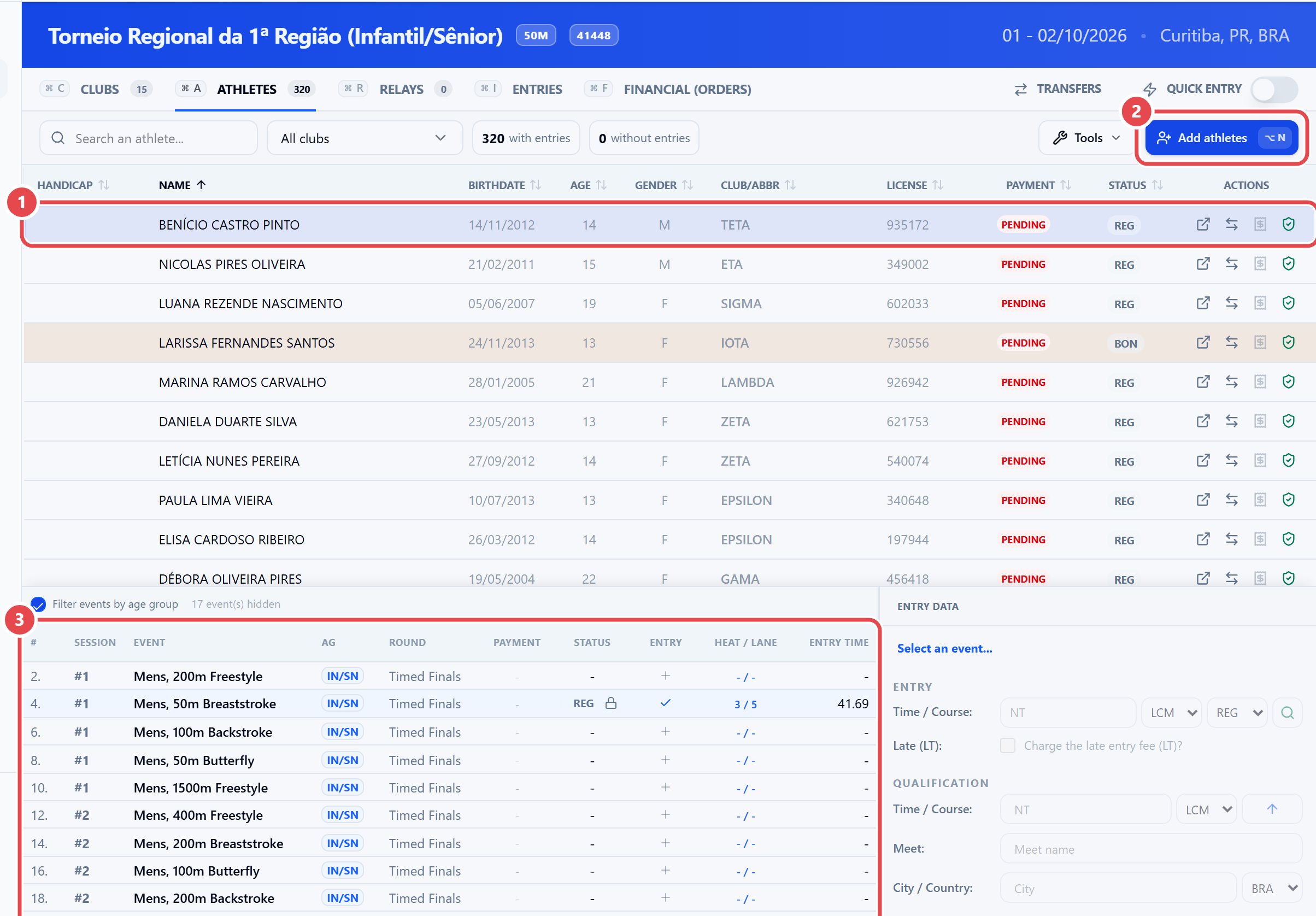
Athletes tab with an athlete selected and their events listed below
On the Athletes tab, click an athlete ① to see their events below ③; Add athletes ② brings in athletes from the meet's clubs.
Relays tab toolbar with the Incluir Equipe and Copy relay times buttons
On the Relays tab, Incluir Equipe ① (Add team) creates a team and Copy relay times ② uses the time each team swam in earlier meets as its entry time.
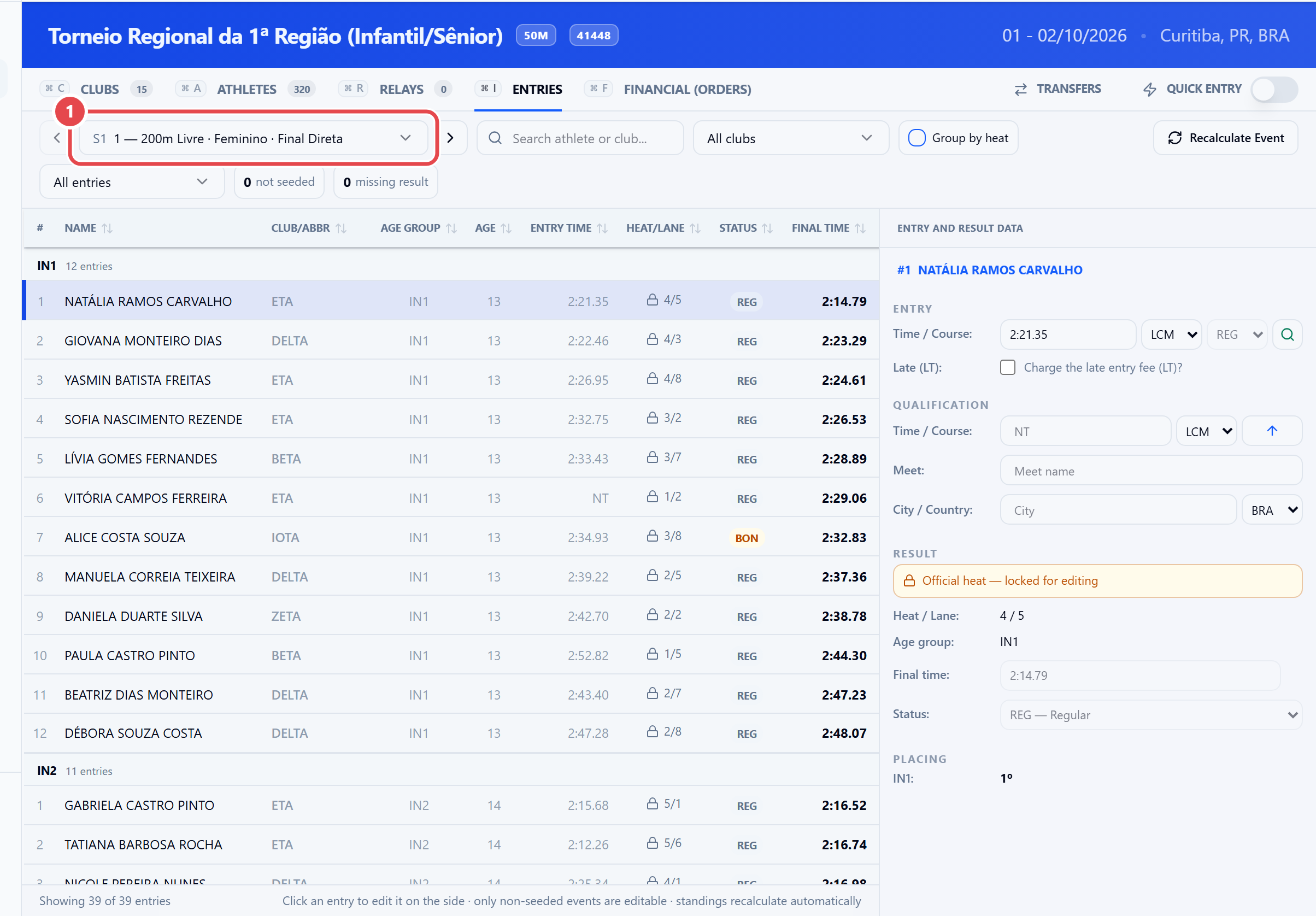
Entries tab with the event picker and the entry data panel
On the Entries tab, pick the event in the selector ① to see all of its entries.
  1. Turn on the Quick entry switch, on the right of the tab bar. The panel opens at the side.
  2. Type the athlete’s CPF. An existing athlete is found; otherwise you register them right there.
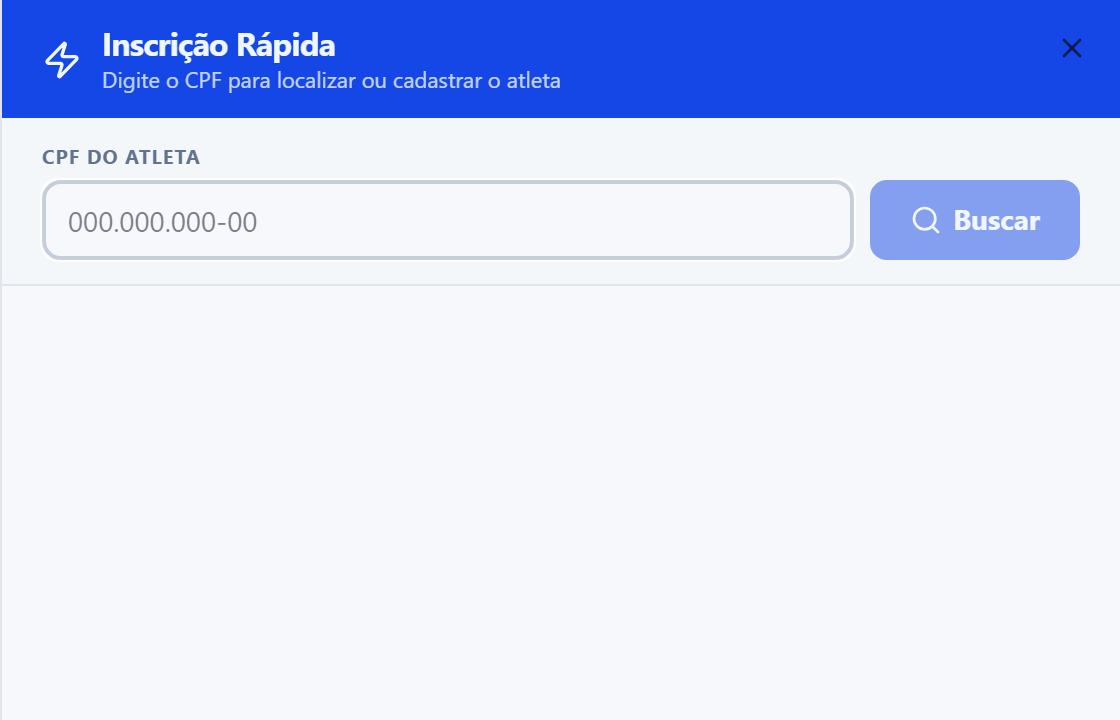
Quick entry panel open, with the athlete CPF field and the Buscar (search) button
Type the CPF and click Buscar (search): the system finds the athlete or opens the quick sign-up.

To bring in entries in bulk from files, see Imports.