

Create a meet from a file
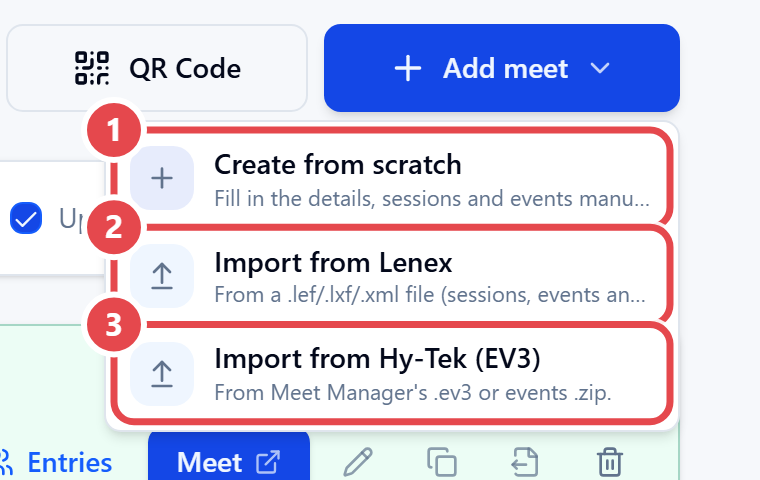
- Open Swimming › Meets and click Add meet.
- Choose Import from Lenex ② (a
.lef,.lxfor.xmlfile) or Import from Hy-Tek (EV3) ③ (an.ev3file or events.zip). - Select the file (the system file picker opens straight away). The Import meet (Lenex) preview shows how many Sessions, Events and age groups will be created.
- Confirm. The message Meet created appears.
- Click Open events to review what came from the file.
Then fill in what the file does not carry — entry dates, fees, pool — in the meet form (see Meet setup).