

Import entries
- Open the meet and click Entries.
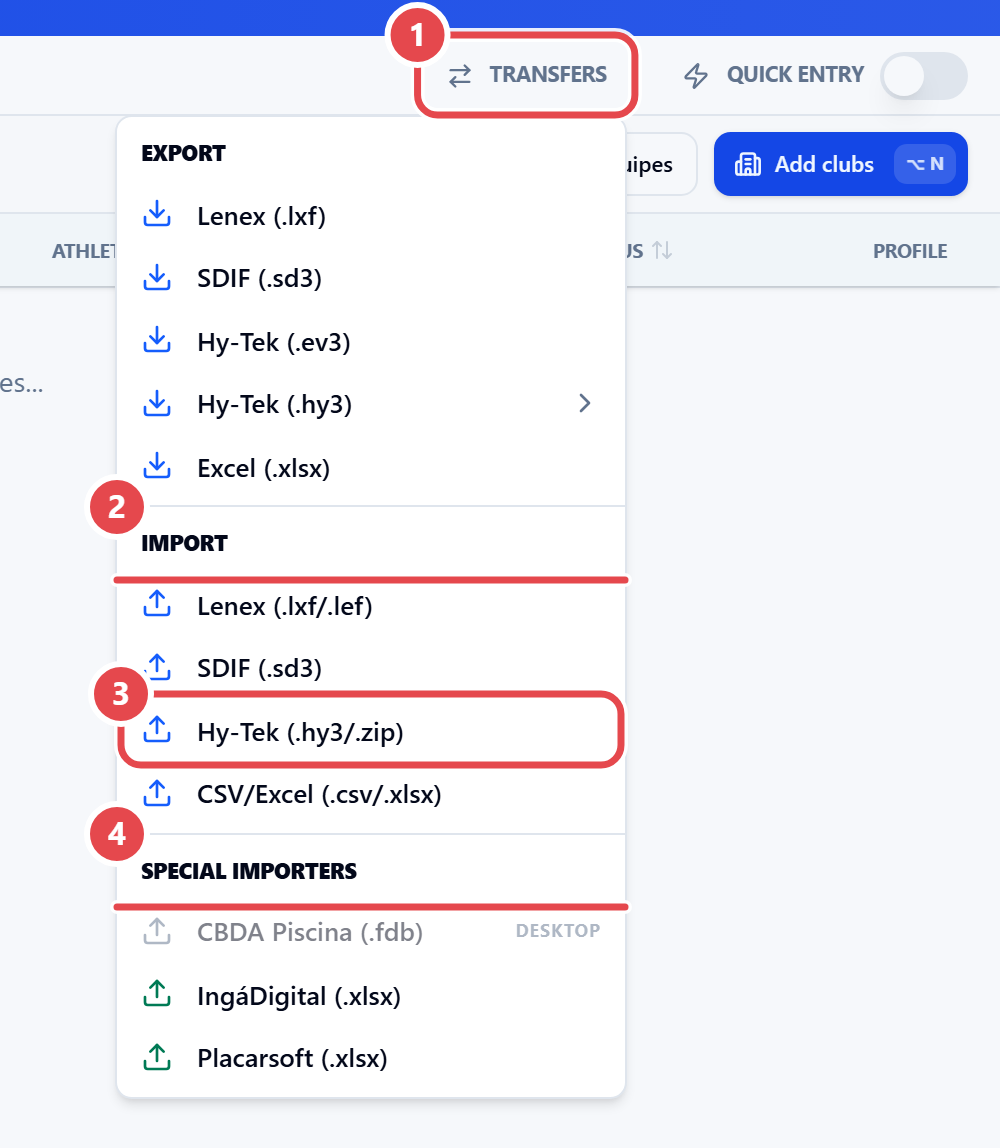
- Open Transfers ① and, under Import ②, choose the format: Lenex (.lxf/.lef), SDIF (.sd3), Hy-Tek (.hy3/.zip) ③ or CSV/Excel (.csv/.xlsx). IngáDigital, Placarsoft and CBDA Piscina are under Special importers ④ (CBDA Piscina only in the app, tagged “DESKTOP”).
- Select the file.
- Choose the import mode:
- Athletes and clubs only — creates or links clubs and athletes without touching entries.
- Entries — imports entries with their entry times and ignores any results in the file.
- Entries and results — imports entries, final times, splits and disqualifications. A Meet Manager
.hy3with results comes in this way.
- Review the preview (next section) and confirm.
Entries in a .hy3 do not say which round they belong to: they go into the first round of the event (prelims or timed finals).