

The report window and printing
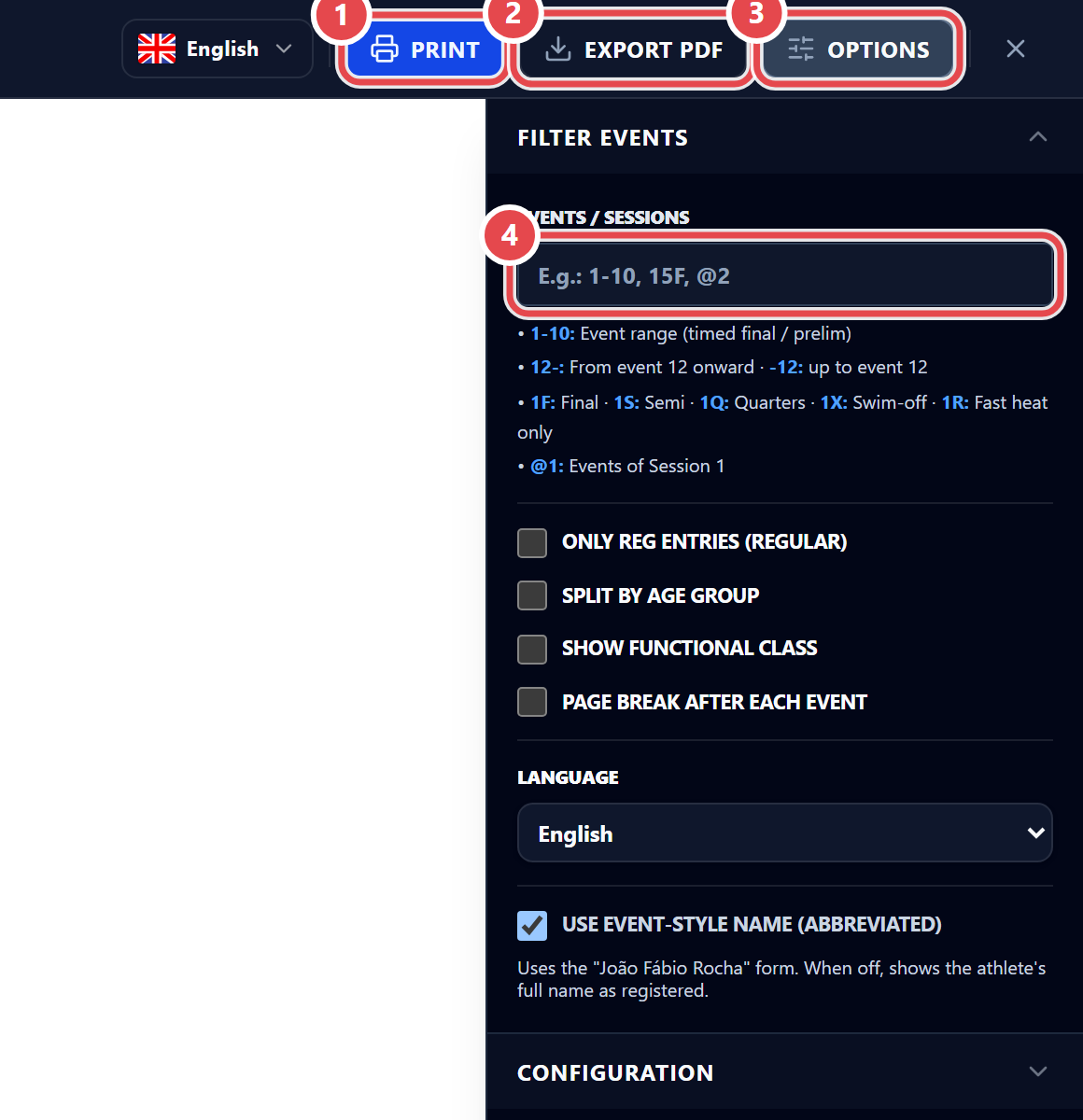
Every report opens in a window with Print ①, Export PDF ② and Options ③. In the desktop app, Print also comes with a printer picker (for this report only) and the number of copies. Options opens the side panel with Filter events and Configuration.
The Events / Sessions ④ field, under Filter events, narrows the report:
| Type | To see |
|---|---|
1-10 |
Events 1 to 10 (timed finals / prelims) |
12- · -12 |
From event 12 on · up to event 12 |
15F · 1S · 1Q |
Final · semifinal · quarterfinal |
1X |
Swim-off |
7R |
Fast heat only |
@2 |
Events in session 2 |
Combine them with commas: 1-10, 15F, @2.
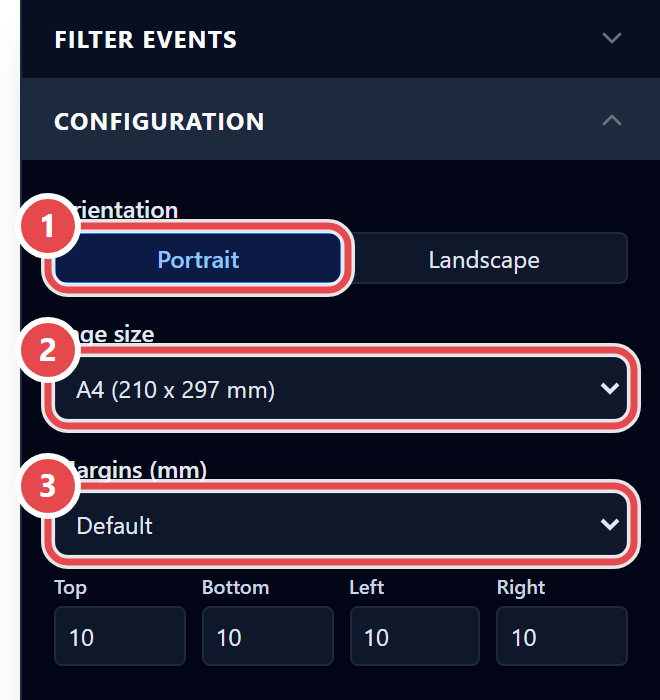
Under Configuration, choose the Orientation ① (Portrait or Landscape), the Page size ② and the Margins (mm) ③.
Default printer and automatic printing
Section titled “Default printer and automatic printing”In Settings › Printing, set the Printer (heat sheet) and the Paper. To print the sheet without clicking: with CTS, turn on Print the sheet when fetching the race; with Dolphin V6, Print the race sheet automatically at the end of the race.