Import events into an existing meet
- Open the meet and click Events.
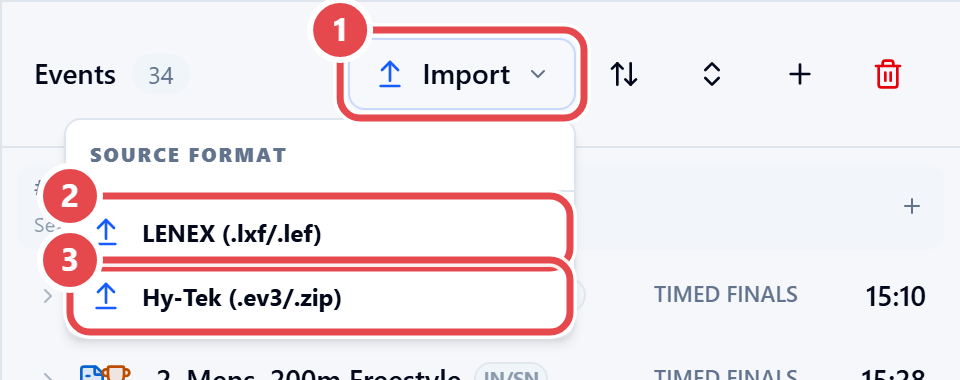
- Click Import ①.
- Under Source format, choose LENEX (.lxf/.lef) ② or Hy-Tek (.ev3/.zip) ③ and select the file.
- Check the IMPORT SUMMARY, with the count of sessions, events and age groups.
- To start over, tick CLEAR ALL: delete EVERY existing event before importing.
- Click Replace and import.