Points, records and documents
These sections appear after the meet is saved for the first time.
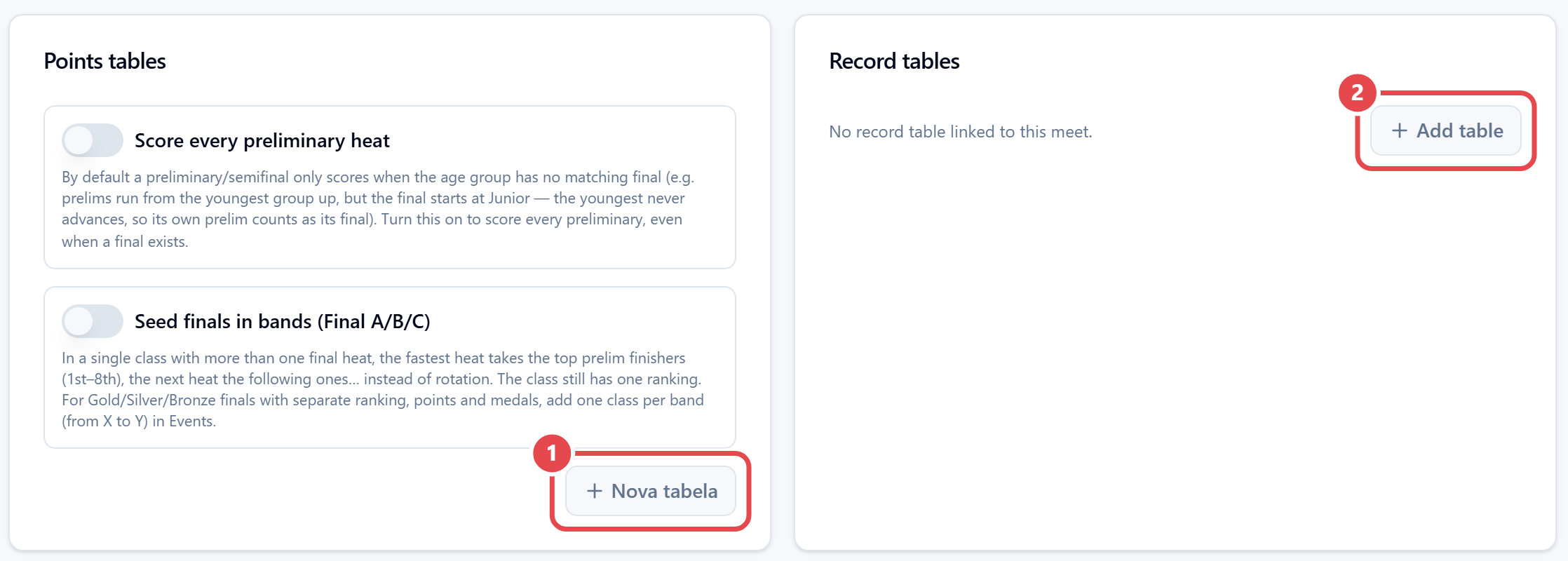
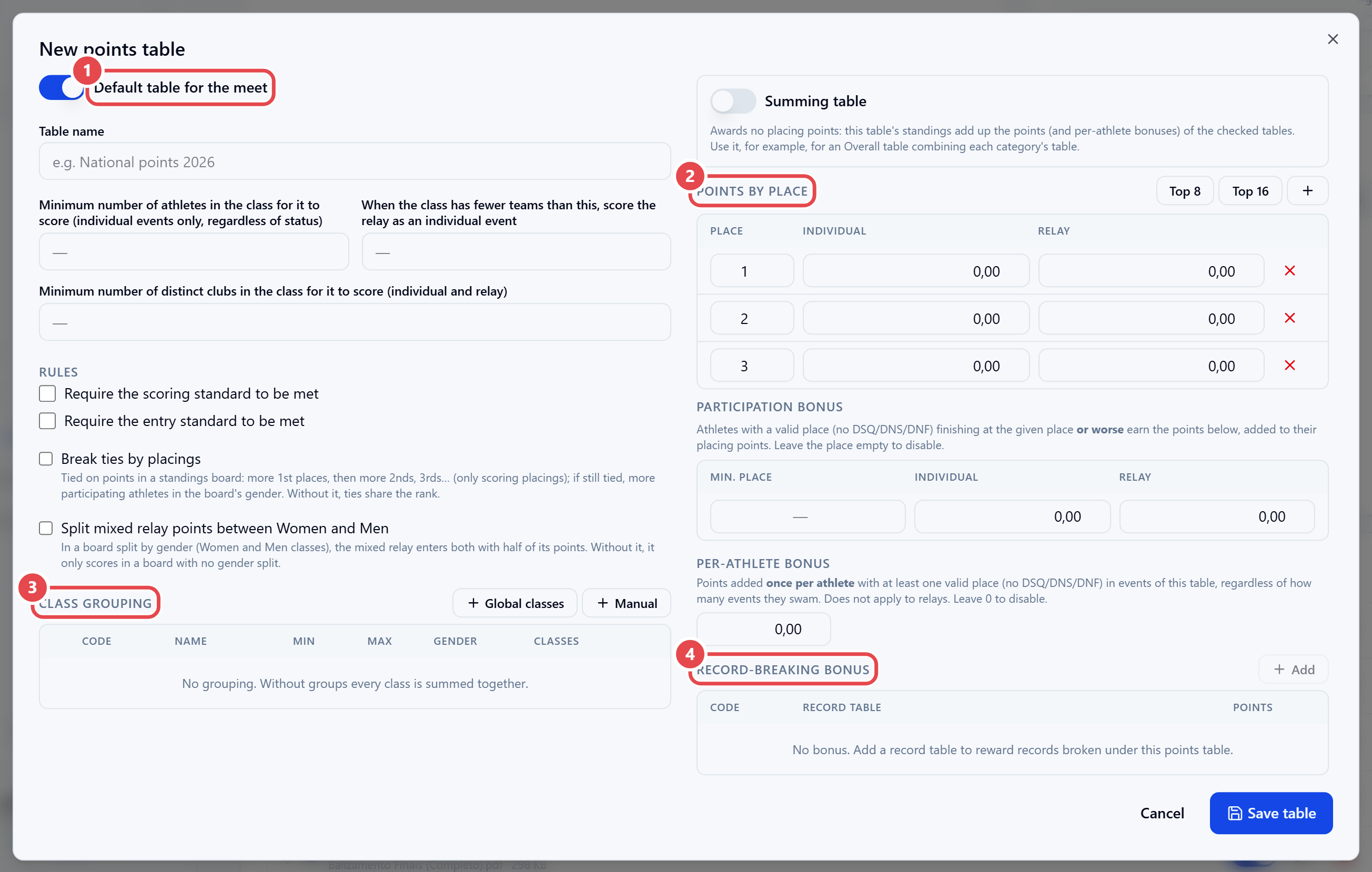
Points tables. Click Nova tabela ① (new table). Set the Points by place for Individual and Relay, the minimum athletes and clubs in an age group for it to score, whether a standard must be met to score, the Class grouping and the Record-breaking bonus. Tick Default table for the meet; each event can use a different one. The same section has Score every preliminary heat and Seed finals in bands (Final A/B/C).
Record tables. Click Add table ② to link a table to the meet. Turn on Auto-assign new records and Auto-update existing records so broken records are entered automatically.
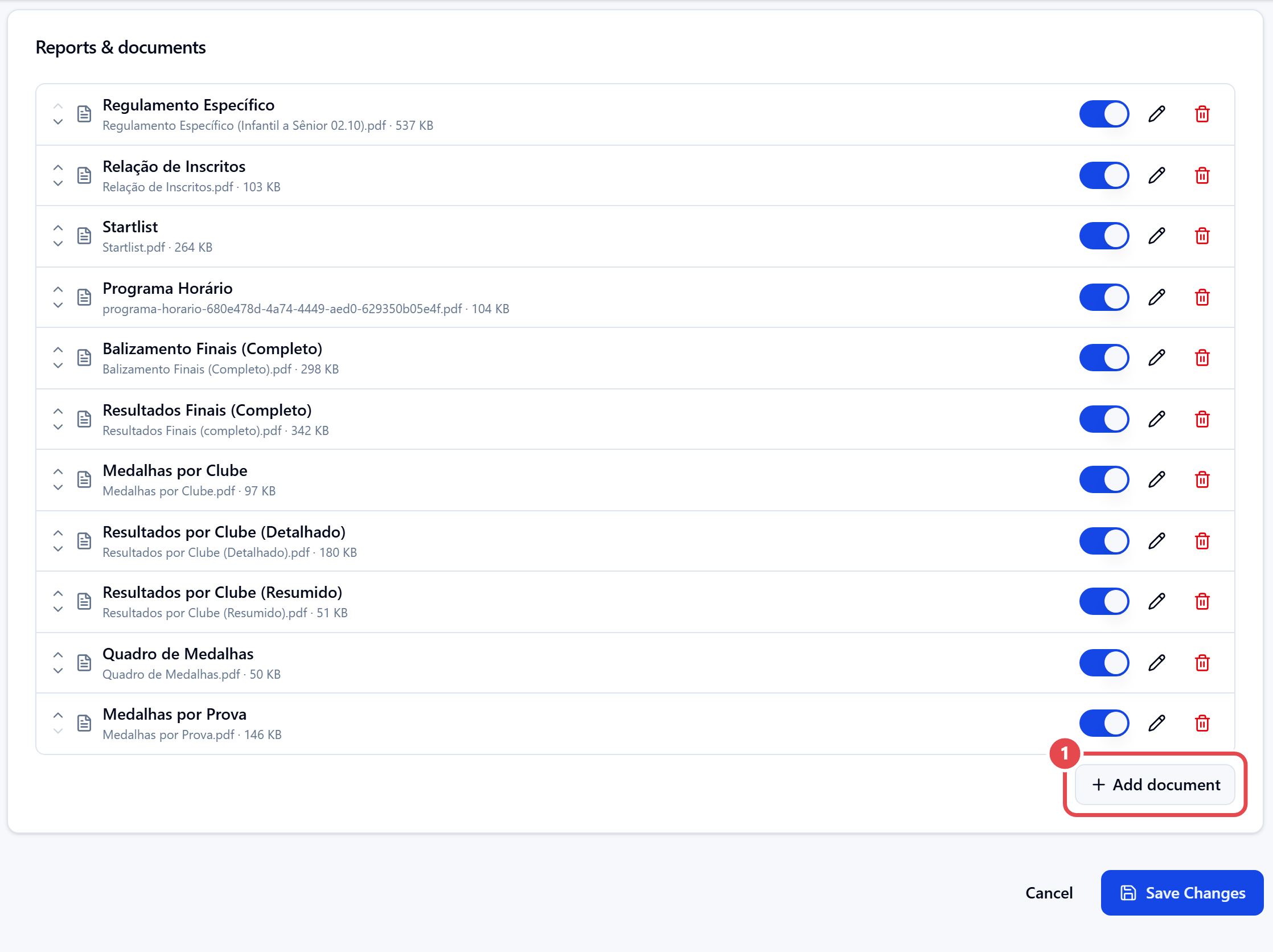
Reports & documents. Click Add document ① to upload the PDFs (rules and others) to be shown with the meet. On each row, the arrows change the order, the switch says whether the document is published on the event’s public page, and the pencil and bin edit and remove it.