

During the meet
Fetch Times brought in the wrong heat
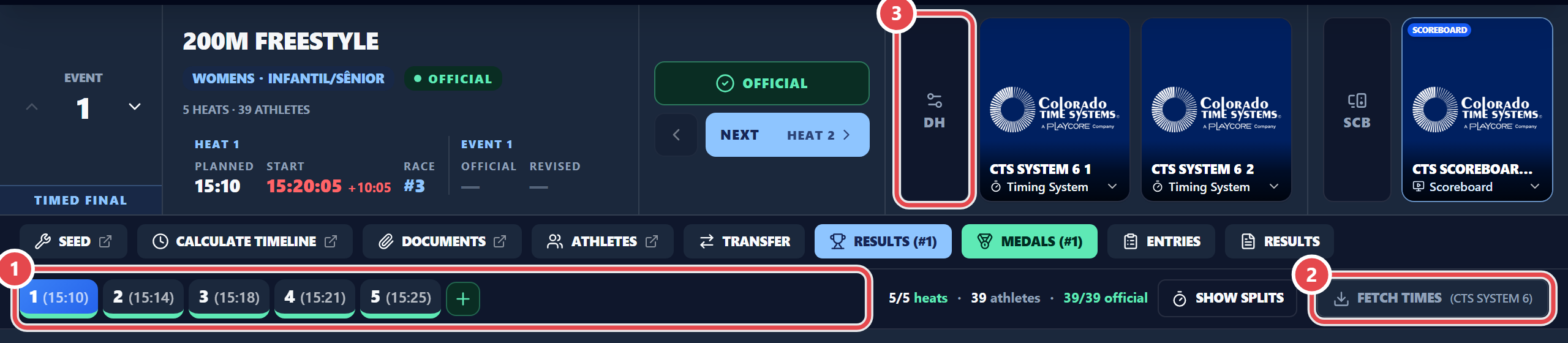
Section titled “Fetch Times brought in the wrong heat”Before clicking Fetch Times, select the right event and heat. If the race belongs to another event or heat, the app asks: do not accept Apply anyway without checking. Also check, in the DH window, which system is primary and the receive mode (Tempos: Usando Prova & Série, Tempos: Usando Número Race or Tempos: Última Série). If the times already went into the wrong heat, use Clear heat N: the seeding stays.
I cannot seed the final
Section titled “I cannot seed the final”Semifinals and finals can only be seeded once the previous round is fully official. Make the remaining heats official (see Semifinals and finals). An event with an official heat or with results cannot be re-seeded either.
An official heat does not accept times
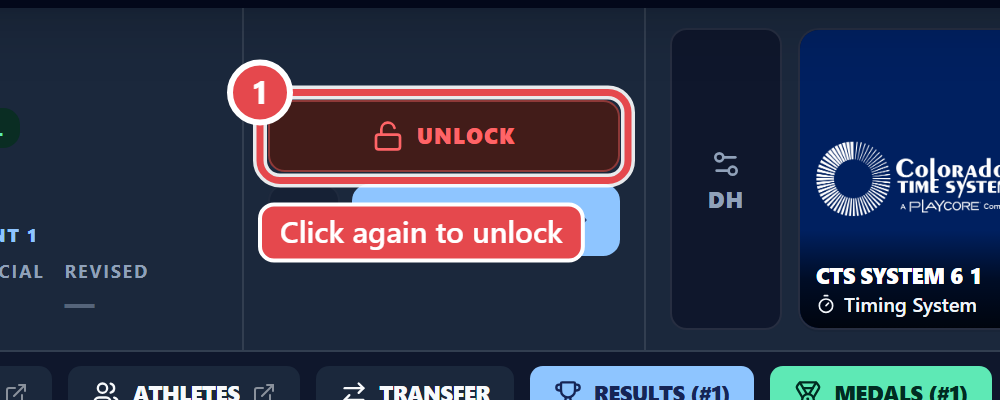
Section titled “An official heat does not accept times”That is by design. Click the heat’s Official button: it turns into Unlock; click it again. Then import or type the times and make it official again.
Place shows as —
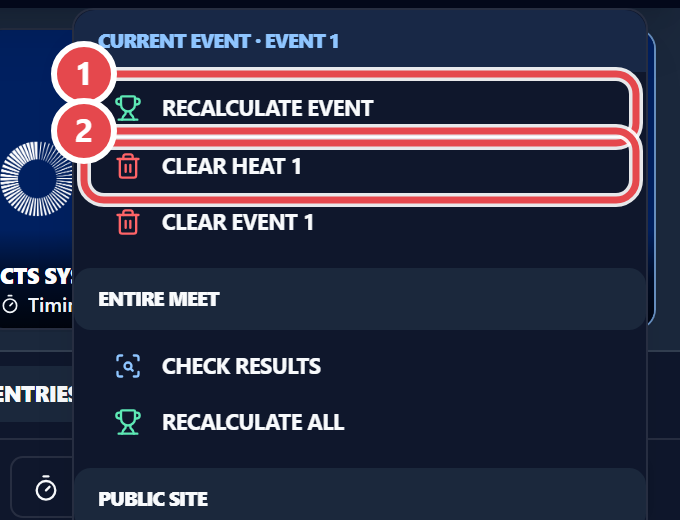
Section titled “Place shows as —”Places appear only once the whole class or event is official; with a fast heat, both halves. Make the remaining heats official. If the app warned that the calculation failed when making a heat official, use Recalculate event. Athletes in EXH never get a place.
The screen looks out of date
Section titled “The screen looks out of date”Use the ② Reload meet data icon in the top bar: the screen reads the meet again. Chip ① shows the save status (Saved). The ③ Sign out icon ends the session on this computer.
