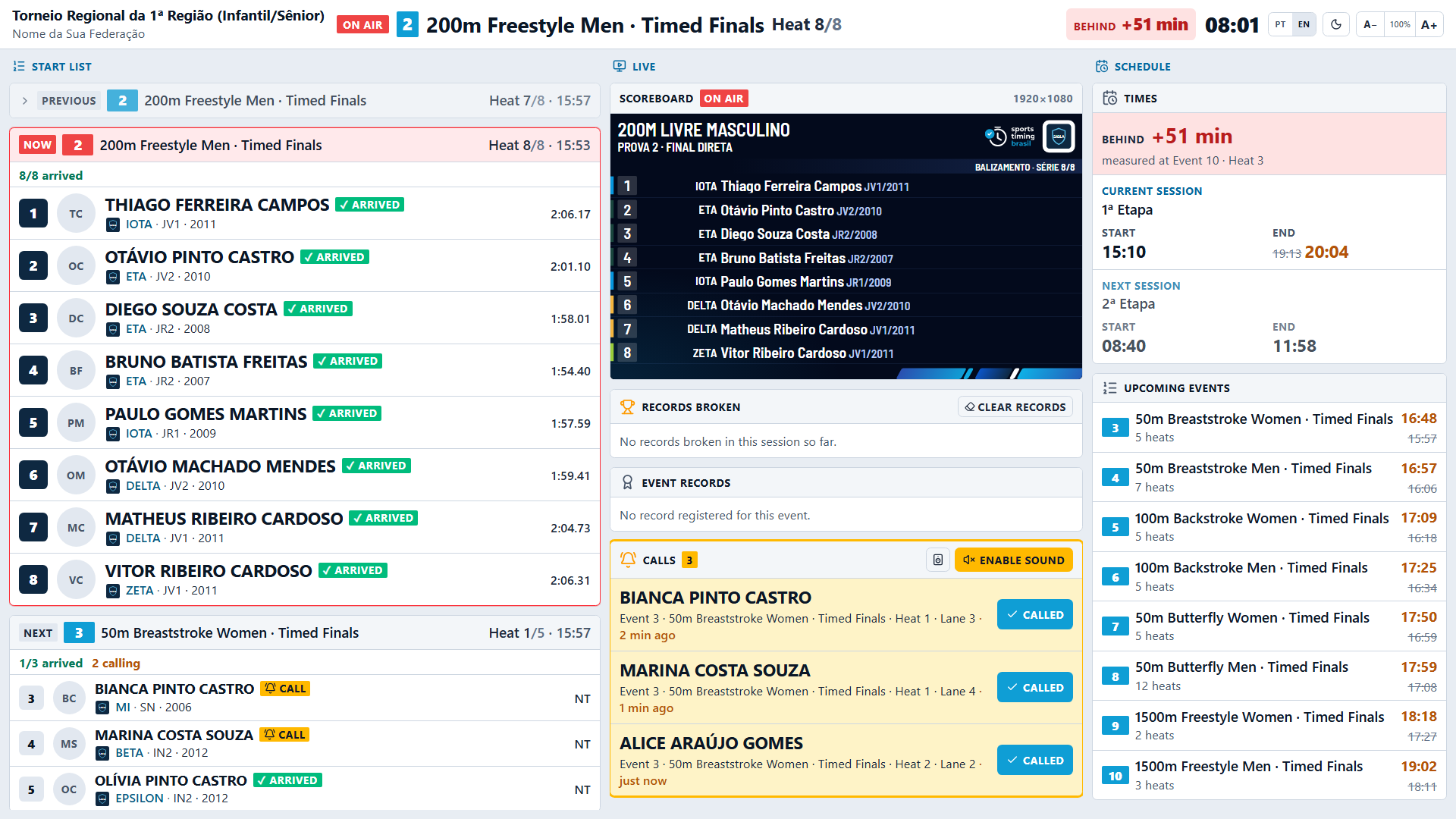
Announcer screen
The announcer follows the meet on a dedicated screen in a web browser, with no account.
- On the control screen, click Announcer address.
- Give the address to the announcer. It looks like
http://<desk-ip>:61588/l. - The announcer opens it in a browser connected to the meet network.
The screen has the Balizamento (call room), Ao vivo (live) and Programa (schedule) columns, with records and times, plus the Calls panel that receives requests from the call room. Browsers only play sound after a tap, so the announcer must click Enable sound once.