

Saving and sync
Everything you do at the desk is saved on the computer first and then sent to the cloud automatically. You never need to save by hand.
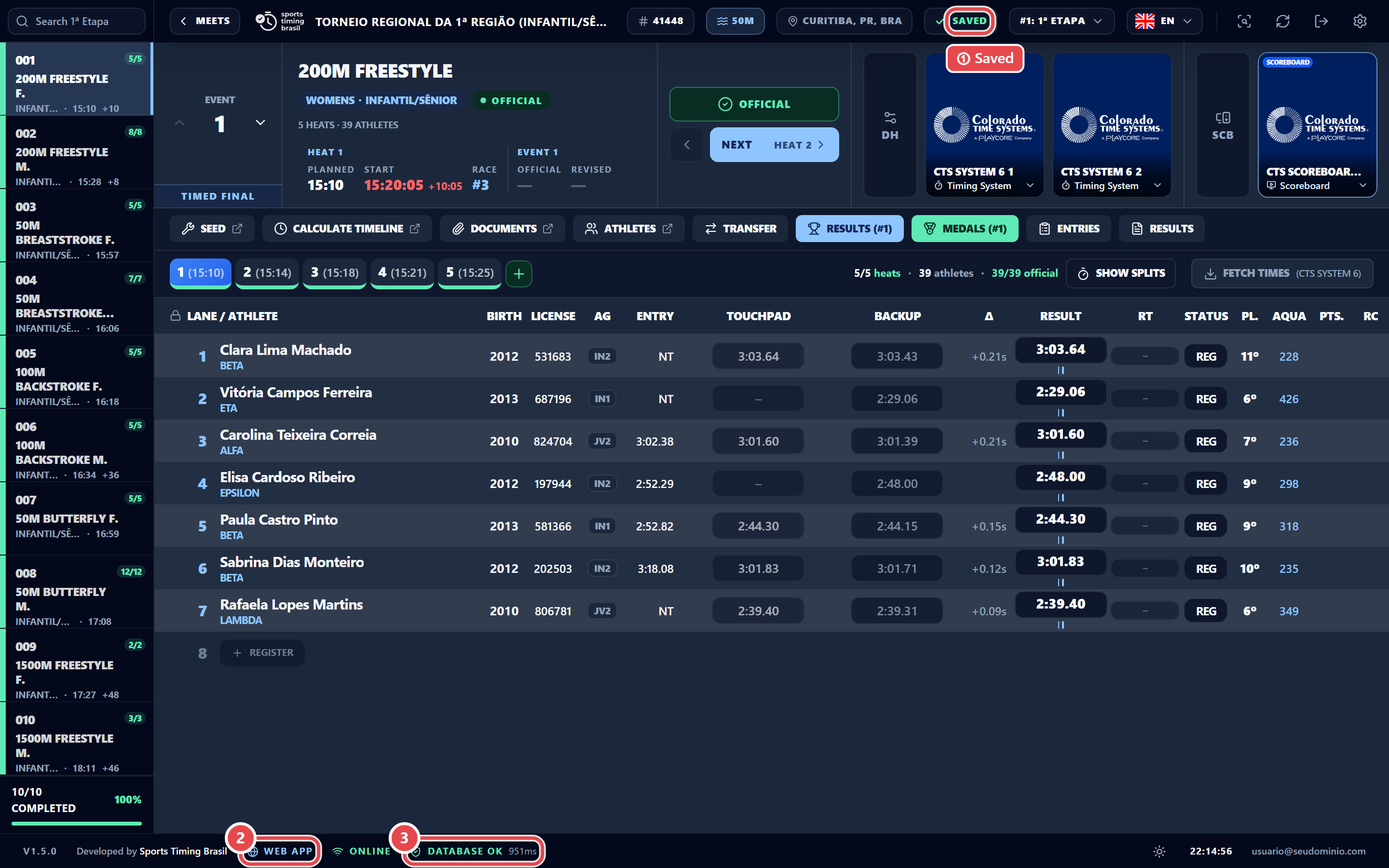
- At the top of the screen, the indicator shows Saved (or Saving… while it writes). In the installed app the upload queue appears next to it; clicking it opens the pending-items drawer.
- The installed app’s Sync menu shows Sync: {n} pending or Sync: up to date.
- The footer shows whether the app is Online or Offline, and Database OK.
- To send right away, use Sync › Force sync now.
The Sync Pending Items drawer lists what has not been uploaded yet, with the Sync now and Retry failures buttons.
If someone else changed the same data in the cloud, the drawer shows a conflict. Your local edit is kept until you decide:
- Keep local: Your edit stays and is sent to the cloud on the next sync.
- Accept cloud: Your edit is discarded and the cloud value is downloaded.