

Events, toolbar and lanes
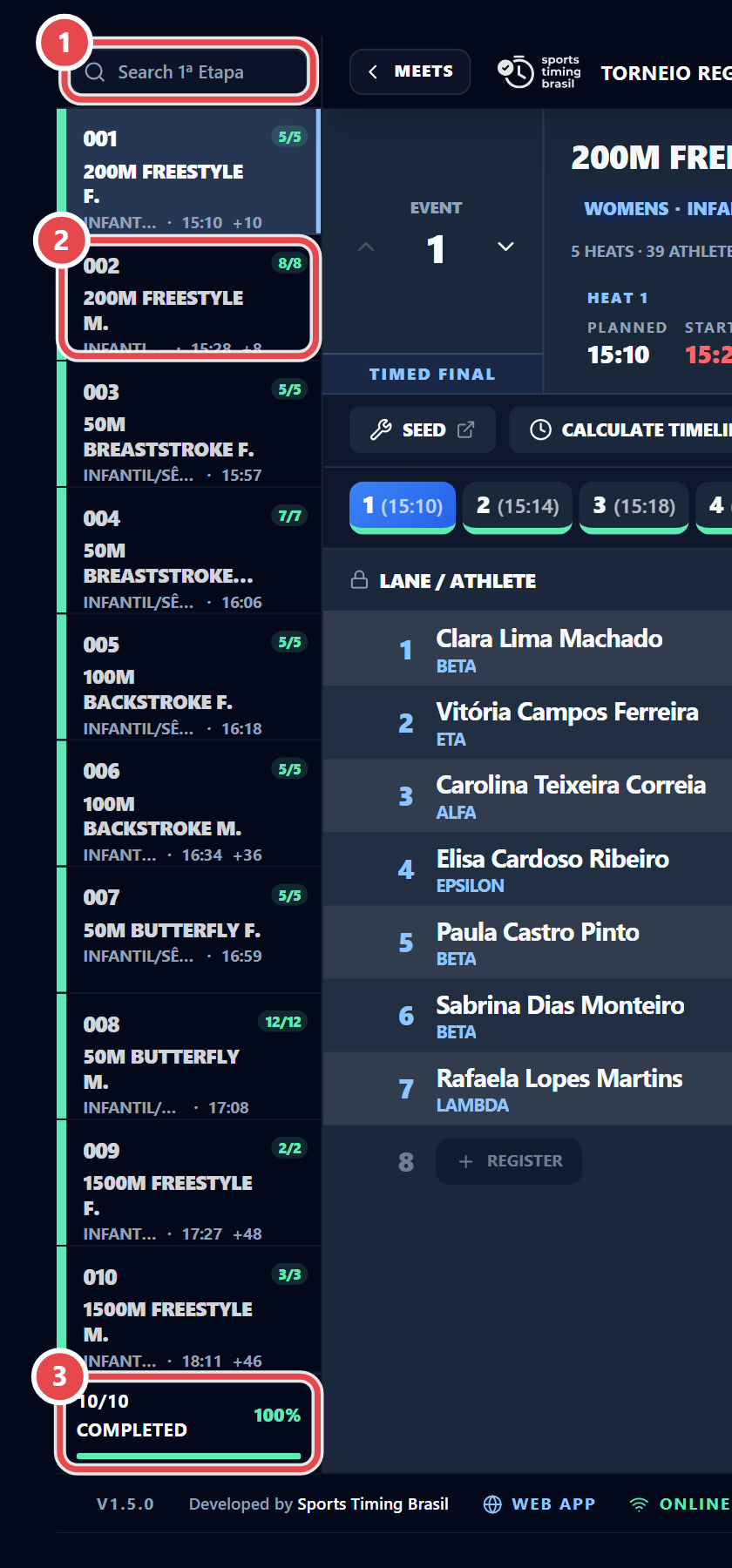
The event list sits on the left, with ① the search box (Search … followed by the session name) and ③ the {done}/{total} completed counter. The event the scoreboard is running is marked In the water. The colour of the strip on the left of each event ② shows its status: grey (entries), blue (seeded), amber (in the water or waiting) and green (official).
The first toolbar row has Seed, Calculate Timeline, Documents, Athletes, Transfer, the Results (#n) and Medals (#n) shortcuts for the current event, and the Entries and Results report menus.
The second row has the heat tabs (right-click to renumber), Create New Heat (+), Set Heat N as Official, the event progress, Show/Hide Splits and Fetch Times.

The lane table shows Lane/Athlete, Birth, License, AG (class), Entry, Touchpad, Backup, Δ (touchpad vs backup difference), Result, RT (reaction time), Status, Pl. (place), AQUA (performance points), Pts. (points) and RC (records broken).