The results screen
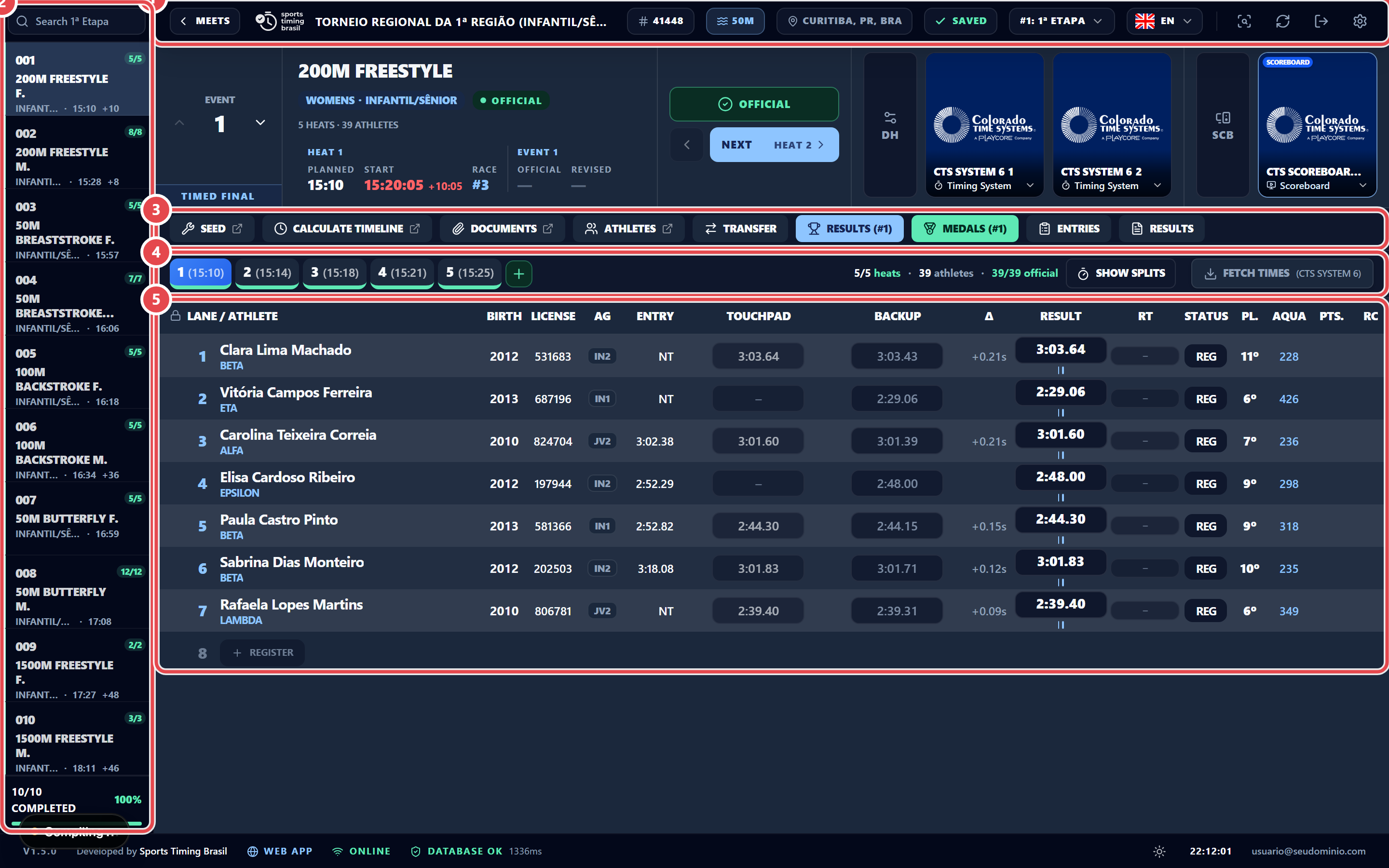
When you open a downloaded meet, the app shows the results screen. It has five areas: ① top bar, ② event list, ③ event toolbar, ④ heat row and ⑤ lane table.
The top bar contains, from left to right:

- ① the Meets chip, to switch meets;
- the meet name, licence and pool (for example, 25m pool);
- ② the save and sync status (Saved);
- ③ the session switcher (for example #1: 1ª Etapa) and the PT/EN language toggle;
- the ④ Check results, ⑤ Reload meet data and ⑥ Sign out icons;
- ⑦ the Settings gear.
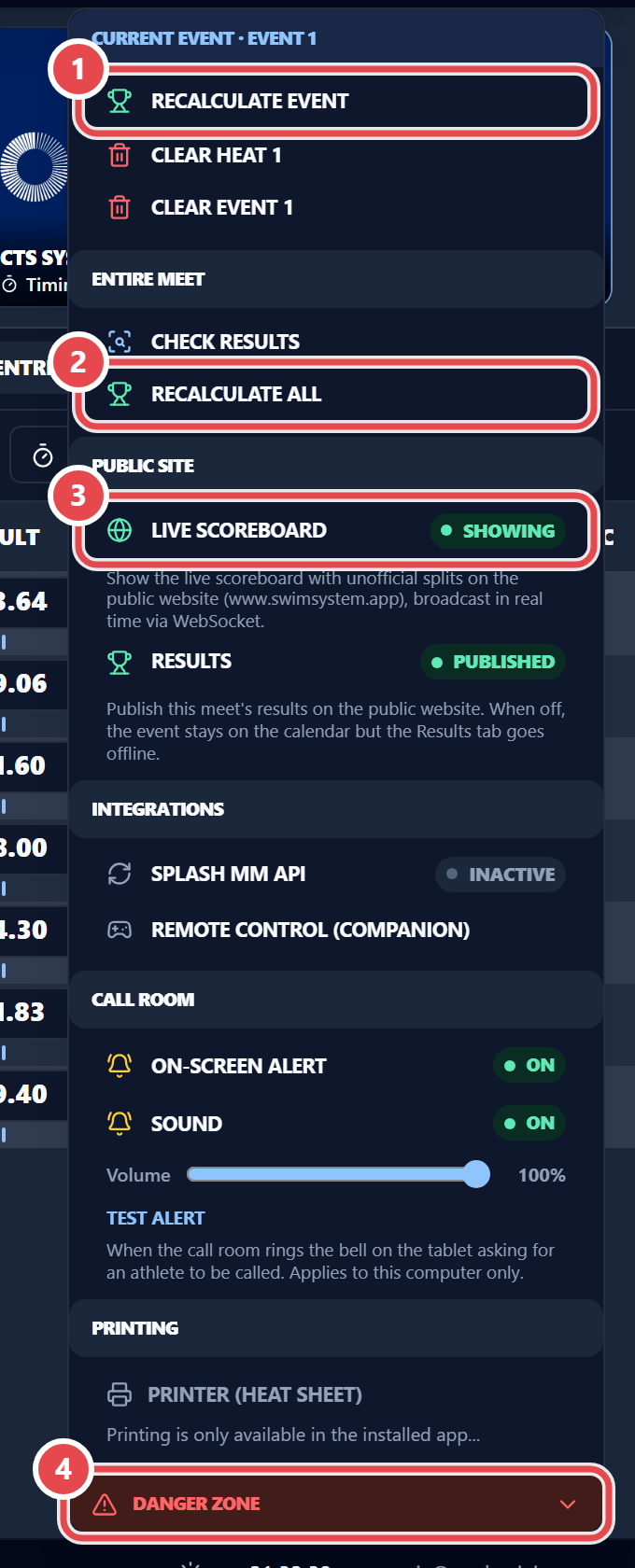
The gear menu is split into blocks:
- Current Event: Recalculate event, Clear heat N and Clear event N.
- Entire Meet: Check results and Recalculate all.
- Public Site: Live scoreboard and results on the website (see Live).
- Integrations, Call room, Printing: Integrations, call-room alerts and the default printer.
- Danger Zone: Operations that cannot be undone.