

Timing systems (DH)
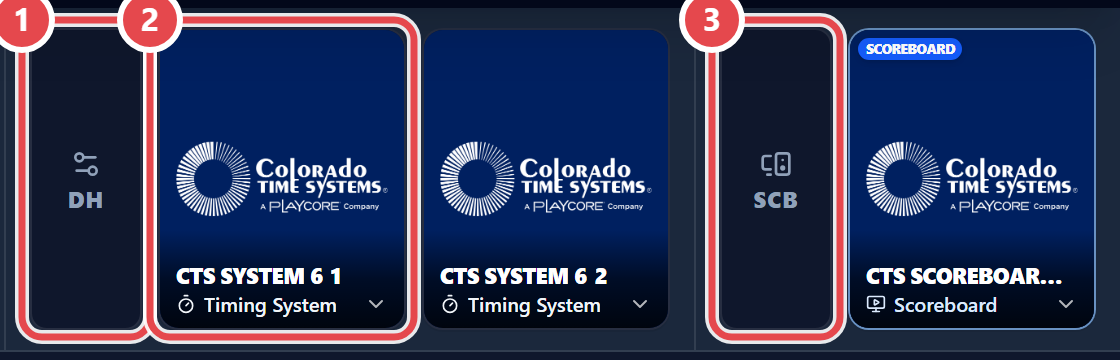
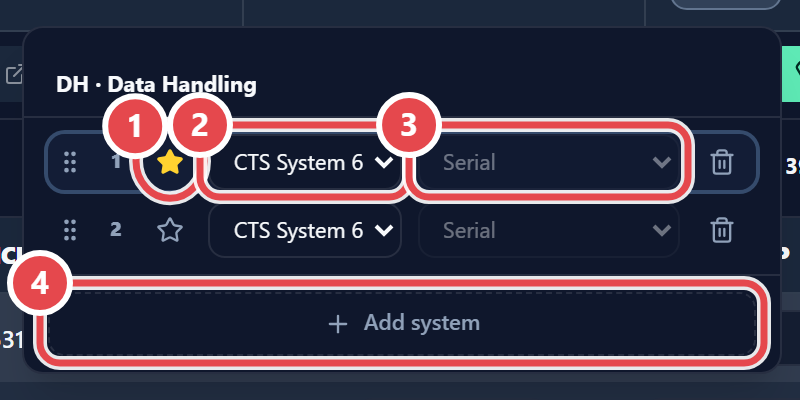
On the desk toolbar, the DH button opens DH · Data Handling. Click Add system: a new row appears, where you pick the model and connection type. The star (Make primary) sets which system the Fetch Times button uses — it gets the Primary badge; the bin (Remove system) removes it. You can have several units of the same model — for example, two System 6, main and backup — each with its own port and folder.
| Brand | Models and connections |
|---|---|
| Colorado Time Systems | CTS Gen7 (Serial or File Sharing GNET); Dolphin (D03/D04 files); Dolphin V6 (Serial); System 6 and System 5 (Serial) |
| Time Drops | JSON files (needs MM-Link open) or Network WebSocket (no MM-Link) |
| Superior Swim Timing (SST) | GNET files |
| International Sports Timing (IST) | GNET files |
| Swiss Timing | Quantum (Serial OSM6 or LST files); ARES 21 (Serial OSM6) |
Serial connection
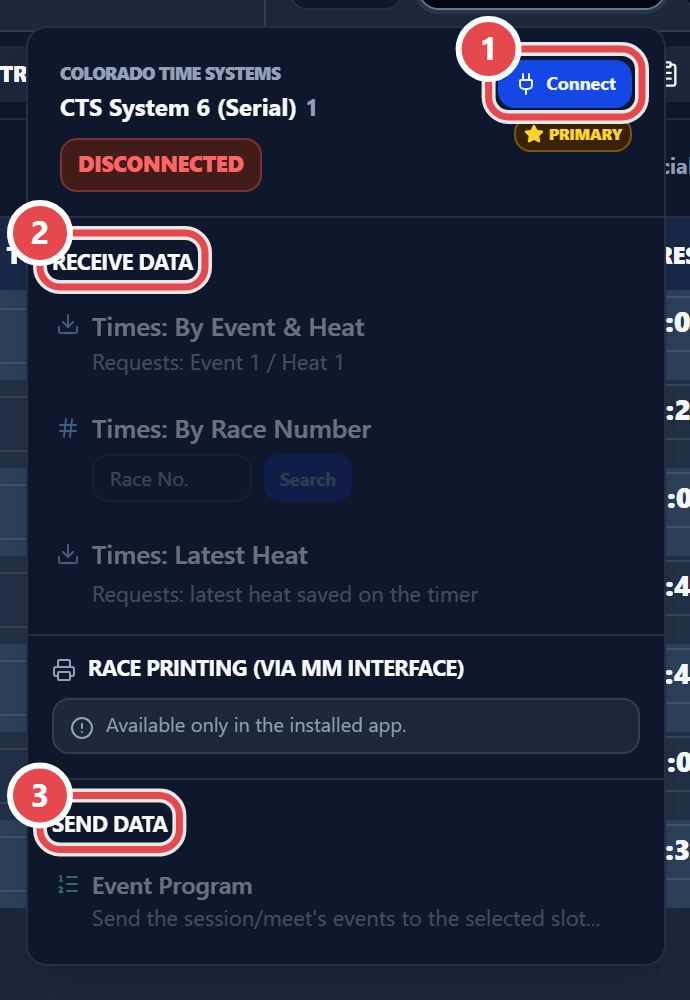
Section titled “Serial connection”Pick the port in Serial Port (— Select a port —), click Refresh if it is missing, then Connect. Under Receive Data, choose Times: By Event & Heat, Times: By Race Number or Times: Latest Heat. Send Data holds Event Program, Event Program (.SCH), Start Lists (.SCB) and Read from timer.
Shared folder
Section titled “Shared folder”In Shared Folder, use Select to point to the SAME folder set in the timing system, or Create folder on Desktop. Read and write OK confirms access; Check tests again. Importing times is covered in Running the meet.