

Open the seeding tool
- On the first row of the desk toolbar, click Seed. The Seeding Tool opens.
- Pick the round tab: Heats / Timed Finals, Semifinals or Finals. A tab is greyed out when the meet has no event in that round.
- Tick events in the list, or use Select all.
- Click a row to see the Preview: heats, lanes and the fastest tag on the strongest heat.

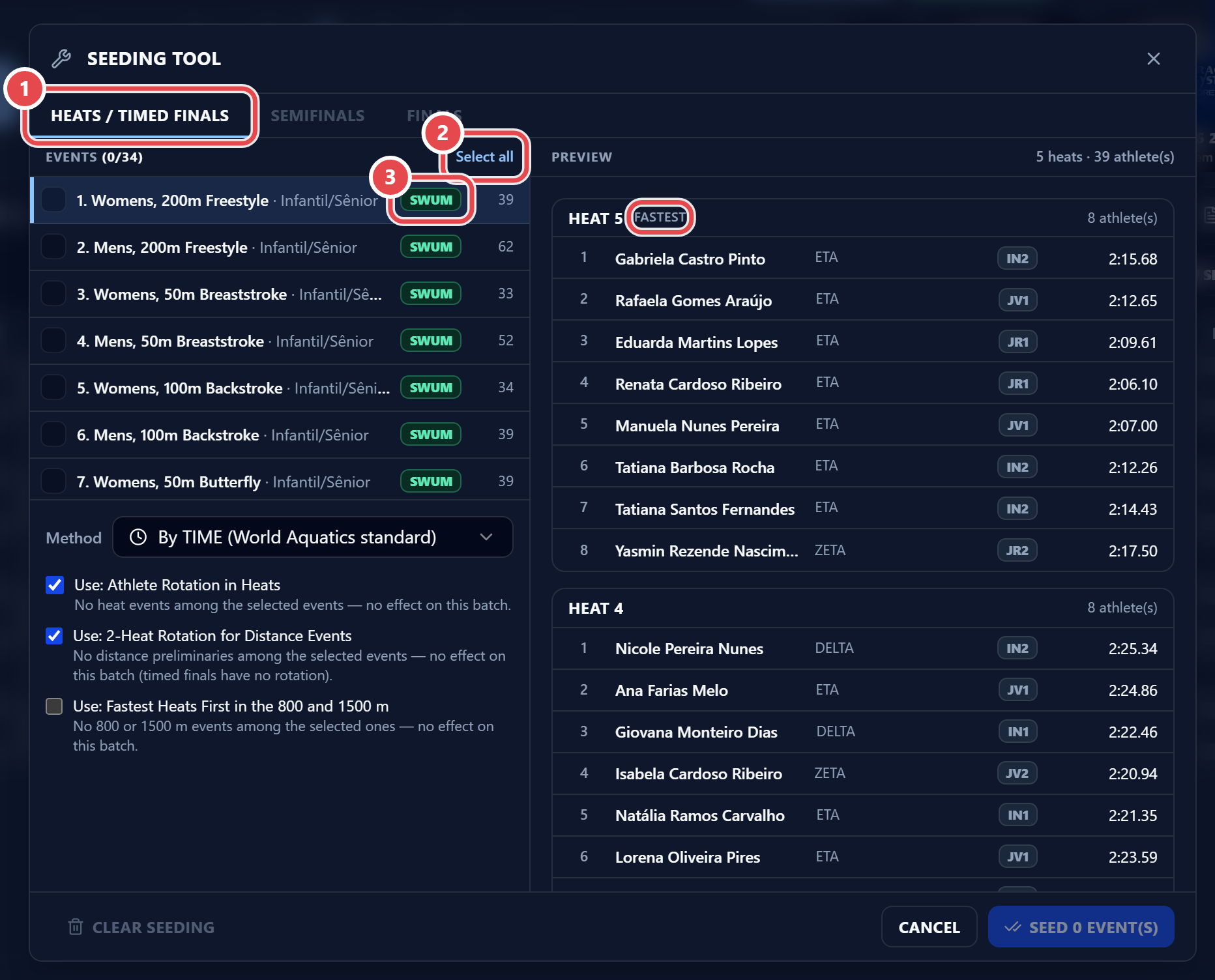
Events already swum show Swum and are skipped.