Revisions, heat times and recalculation
If an event that was already official is made official again, the app asks Result revision:
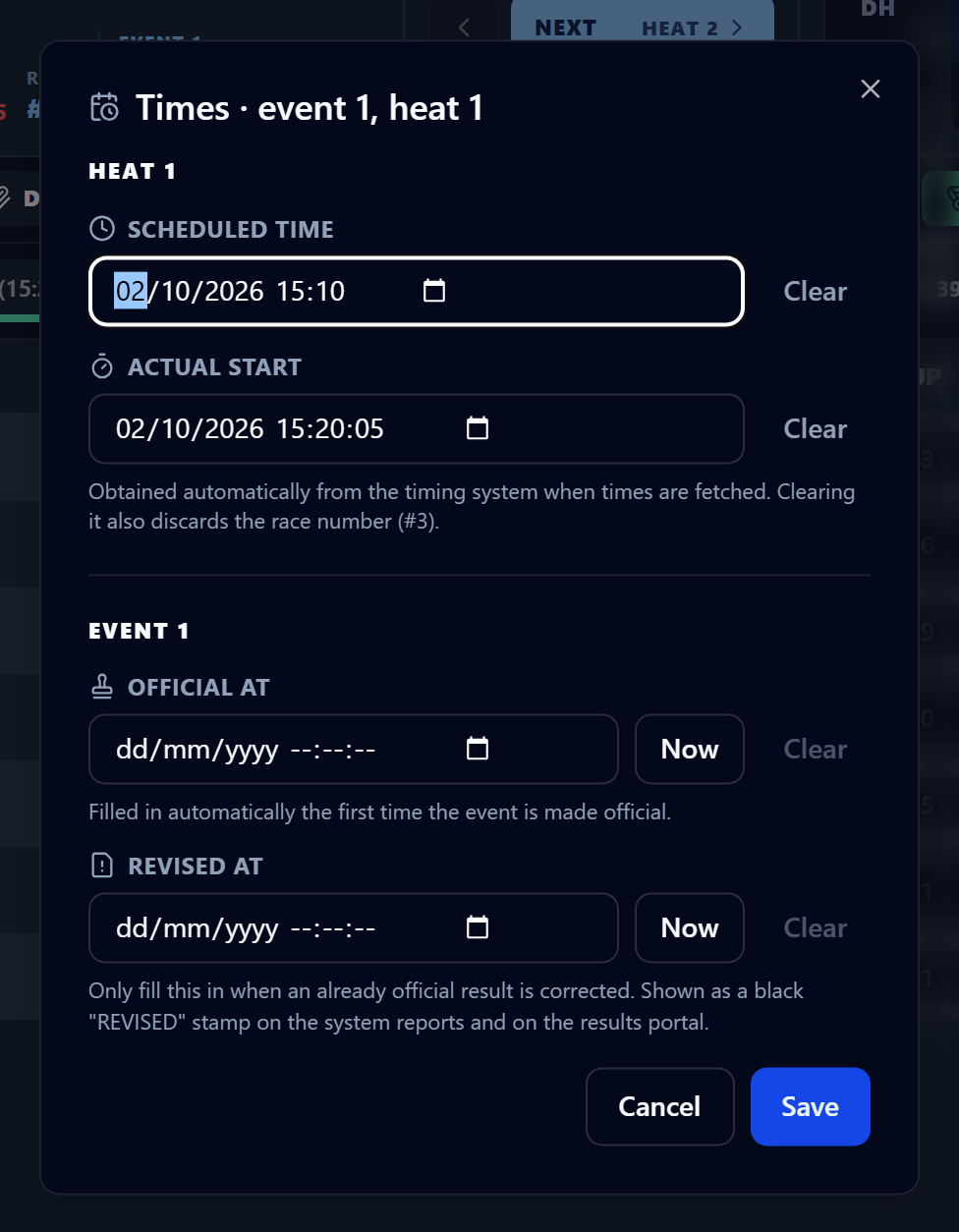
- Record revision: the results PDF and the website show a black REVISED stamp.
- No, just make official: the heat is made official without the stamp.
Times are edited in the Times · event N, heat N window, which opens when you click the time chip: Scheduled time and Actual start for the heat, Official at and Revised at for the event.
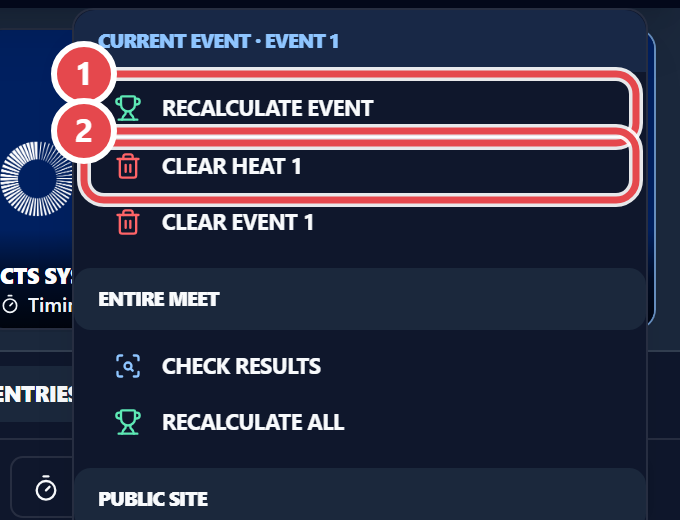
In the gear menu:
- Recalculate event / Recalculate all: Recomputes places and points for the current event or the whole meet. Also use it if the app warns that the calculation failed after making a heat official. The app makes a backup first.
- Clear heat N: Resets the heat’s times and statuses. The seeding is kept.
- Clear event N: Deletes results, times and splits of every heat; the event goes back to seeded. Seeding and entries are kept.